
Switch Design Studio
Stop drawing switch boards
in spreadsheets.
The Hawaii Switch Design Studio takes a room list and gives you back a validated panel layout, a priced bill of materials and a purchase order. Built by us, used by us on every project, and open to the engineers and architects we work with.
- Minutes, not days
Room list to full BOM - Only valid plates
Checked against the catalogue - Excel & PDF export
Requirement list, BOM, PO
The workflow
Four steps from floor plan to purchase order.
01
Build the floor
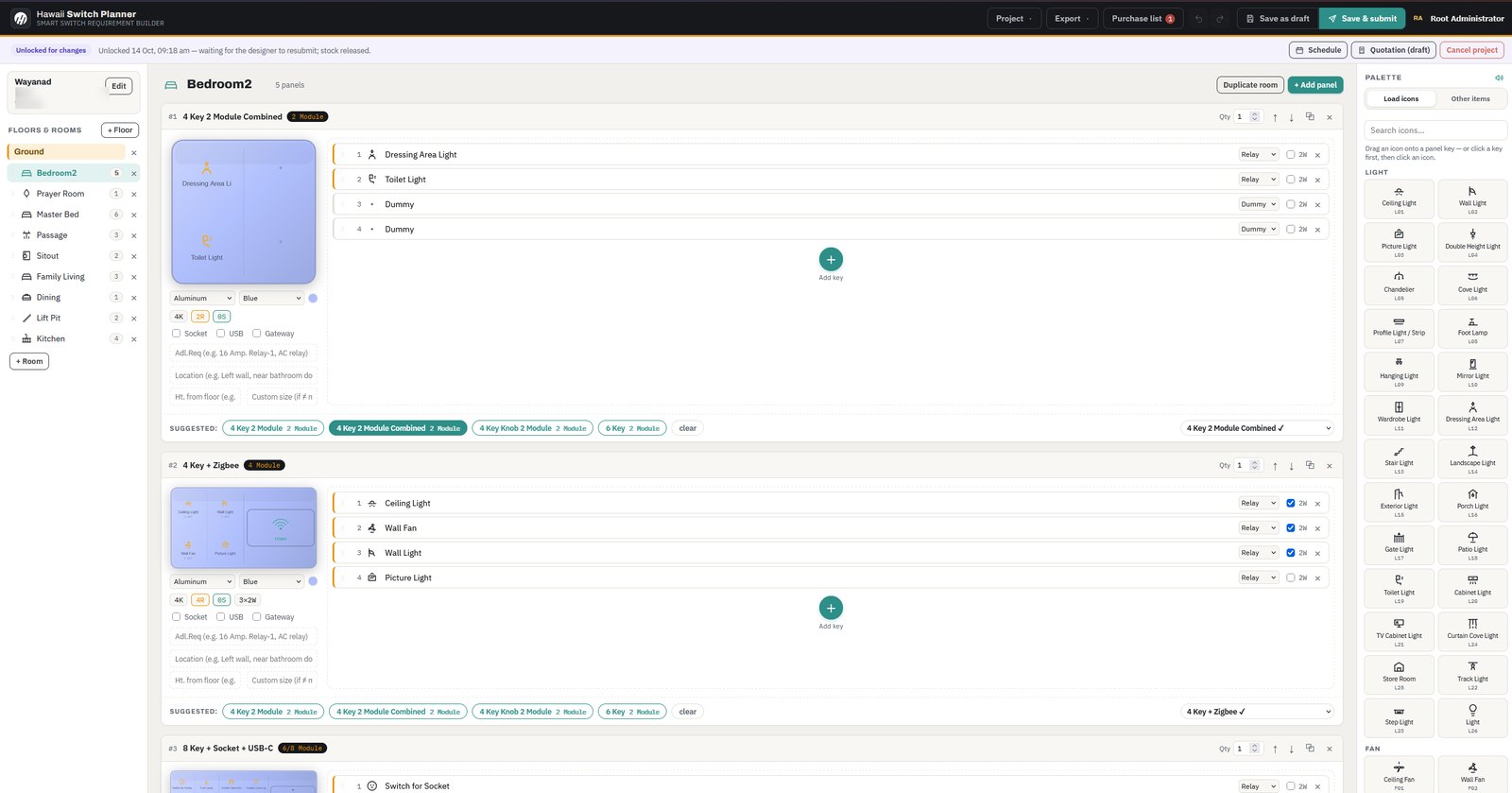
Add floors, then rooms — Master Bed, Passage, Sitout, Kitchen. Each room carries its panel count, and a finished room can be duplicated across an identical flat in one click.
02
Name every key
Drop a circuit on each key — Ceiling Light, Wall Fan, Toilet Light, Curtain — and drag the matching icon from the searchable library. Spare keys are marked Dummy, and relay or 2-wire behaviour is set per key.
03
Pick from valid plates
The studio offers only combinations that exist — 4 Key 2 Module, 4 Key Knob, 8 Key + Socket + USB-C — with material, colour, socket, USB and gateway options resolved per plate.
04
Submit, price, order
Save as draft or submit for approval. Stock is reserved against the project, a quotation is raised, and the requirement list, BOM and purchase order export to Excel.
Everything in the box
A professional project management tool, not just a basic configurator.
The studio runs the commercial side of an installation as well as the technical one.
Room-by-room planner
Circuits, icons and quantities per room, with live validation against the product catalogue.
Catalogue-aware suggestions
Plate combinations are generated from the real SKU list — power bodies, key modules, sockets and gateways.
Excel & PDF exports
Requirement list, BOM, quotation, purchase order and invoice, generated entirely in the browser.
Days of Planning. Done in Minutes.
Plan smart switches for every room in minutes. Choose the functions you need and create a clear configuration for your home without complicated calculations or paperwork.
Designed Around Your Home
Whether you're building a new house or upgrading an existing one, plan smart switches room by room to match your lighting, fans, curtains, and other automation needs.
Plan Before Installation
Help electricians and wiring engineers understand switch requirements before electrical work begins. Coordinate switch locations, functions, and wiring requirements to reduce confusion on-site.
Faster Configuration. Easier Installation.
Quickly translate room requirements into smart switch configurations. Give your electrician a clear reference and help your project move from planning to installation more efficiently.
Simple for Homeowners. Useful for Professionals.
You don't need an engineering background to plan your smart switches. Homeowners can explore their options, while electricians and engineers can use the same plan to prepare for installation.
Visualize Every Switch Function
Explore familiar icons for lights, fans, curtains, sockets, and scenes. Understand how each switch can be configured before selecting the products for your home.
Every Room. One Clear Plan.
Organize your smart switch requirements across bedrooms, living rooms, kitchens, and other spaces. Keep the configuration accessible to homeowners, engineers, and electricians throughout the project.
Get Your Switch Plan Ready
Prepare a clear overview of the selected smart switches and required quantities. Share the configuration with your electrical contractor or installer to coordinate product selection and installation.
The Right Configuration. The Right Products.
Match your home's automation needs with the right smart switches and modules. Make informed product selections, simplify quantity planning, and help your project stay organized from selection to installation.
Who it is for
Electrical engineers, architects and our own design desk.
If you specify switch boards for a living, the studio removes the part of the job nobody enjoys: counting keys, checking a plate can physically hold them, and re-typing it all into a purchase order.
- Electrical consultants — board schedules that match a real product list
- Architects & interior designers — plate sizes and finishes resolved early
- Builders & contractors — a BOM that can be ordered as-is
- Our design desk — every Hawaii quote is produced in it
Try it on your next project.
Accounts are approved by hand so the catalogue and pricing stay accurate. Tell us who you are and we will set you up.